
 $
 EGP
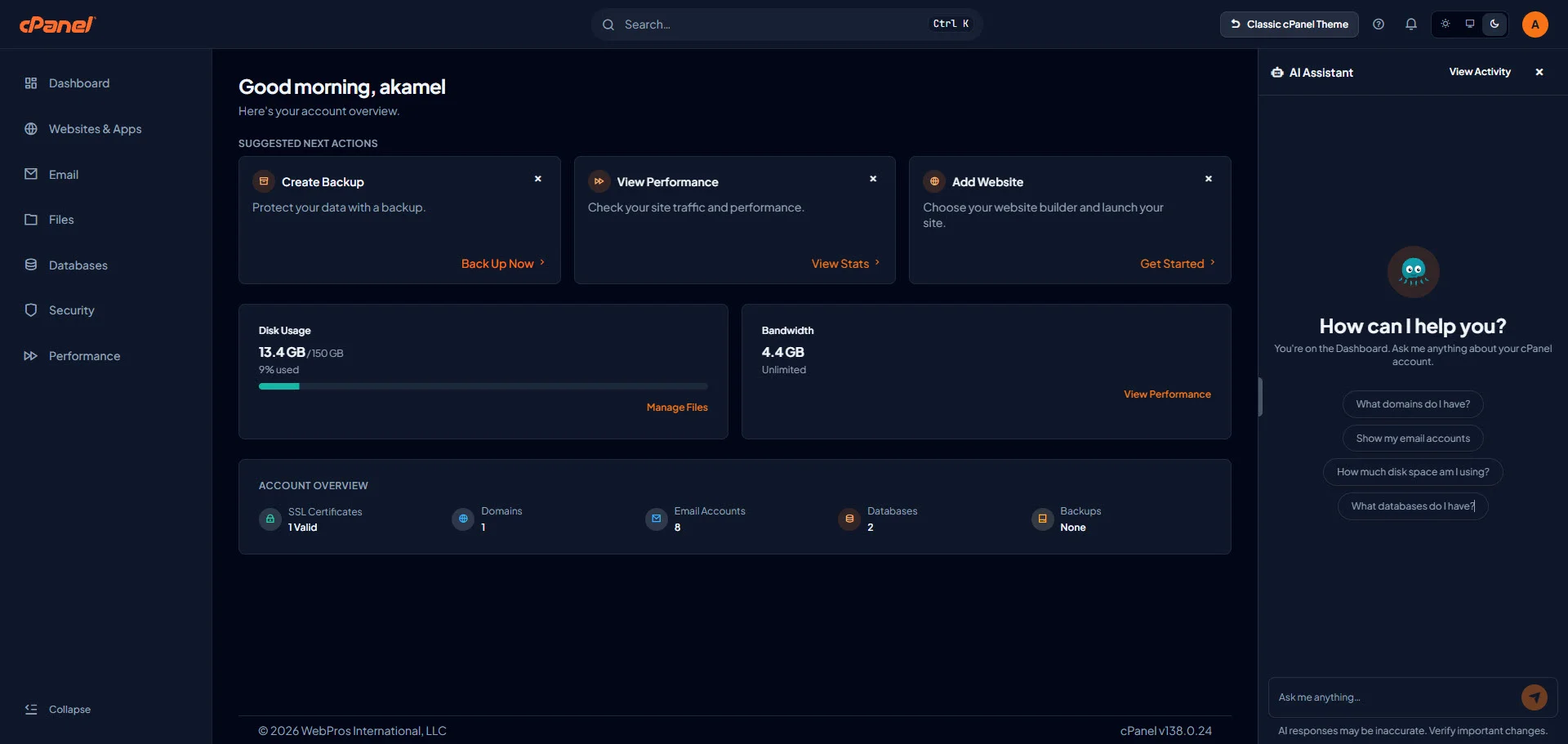
The cPanel AI Assistant is an embedded chat panel available in the Meridian theme. It lets you ask questions about your hosting account in plain language, get guidance inside cPanel, and approve simple account changes without leaving the interface.
This article explains what the assistant can do on your Brmgina cPanel hosting account, how to use it safely, and where it stops so you know when to contact support.
What is the cPanel AI Assistant?
In Meridian, open the floating Ask AI button (usually bottom-right). The assistant greets you with context about the screen you are on and offers suggested prompts such as listing domains, email accounts, disk usage, or databases.
Official user guide: Using the AI Assistant.
On Brmgina cPanel hosting, Ask AI is available in Meridian. If you do not see the button, contact support and we will check your account.
Types of requests you can make
| Type | What it does | Example |
|---|---|---|
| Explain | Explains a feature or concept | What is PHP-FPM? |
| Guide | Step-by-step how-to | How do I create an email account? |
| Diagnose | Reads account details and interprets them | Is my SSL certificate about to expire? |
| Act | Makes a change after you approve it | Create an email account for [email protected] |
For diagnostics, the assistant can review read-only details such as domains, disk quota, email accounts, FTP accounts, databases, SSL status, and AutoSSL error information.
Making changes with approval cards
The assistant can answer questions, look up account information, and—on Brmgina hosting—also carry out supported changes after you approve them. Before anything is applied:
- The assistant shows an Approval required card describing the planned change.
- You choose Approve or Deny. Nothing is applied without your approval.
- Multi-step plans can appear as one approval card for the whole plan.
- If you deny, the assistant can still guide you to do the task manually.
Always read the approval card carefully. Approve only changes you understand and want.
Practical tasks you can ask about
Useful patterns on a typical hosting account include:
- Email: create accounts, understand forwarders/autoresponders, or investigate delivery-related account state.
- WordPress troubleshooting guidance: understand common errors and safe next checks (complex outages still need human support).
- PHP and domains: guidance on version choices, DNS/SSL context, and certificate status.
- Backups: help preparing or understanding backup/restore flows when available on the account.
Treat AI output as assistance: verify important changes and keep your own backups before major edits.
What the AI Assistant will not do
- Change anything without your approval.
- Perform irreversible high-risk operations as a silent automation tool.
- Fully remediate complex outages or security cleanups by itself.
- Replace Brmgina support for critical or complicated issues.
- See or change other customers’ accounts.
Daily usage limits
Each cPanel account has a daily allowance (documented by cPanel as up to 100 requests and a token budget per rolling 24-hour period from the first request). Long chats and heavy lookups consume the allowance faster. When you hit the limit, wait for the period to reset and try again later.
Privacy and account scope
The assistant works within your own account only. It uses session/interface context and account information to answer. WebPros may log conversations for quality and support; see cPanel’s AI Assistant data-handling documentation for the current policy.
Tips for better results
- Ask from the relevant hub (for example, Email hub for mailbox questions).
- Be specific: include the domain or mailbox when it matters.
- Use Diagnose prompts for “why” questions about account state.
- Read every Approval required card carefully before approving a change.
- Clear the chat when starting a new topic to keep context focused.
Conclusion
The cPanel AI Assistant in Meridian shortens routine questions and guided tasks inside your hosting panel. Use it for explanations, walkthroughs, and approved low-risk actions—and keep support + backups for complex or critical changes.
Related reading: our article on the Meridian theme, and official docs at Using the AI Assistant.
