
 $
 EGP
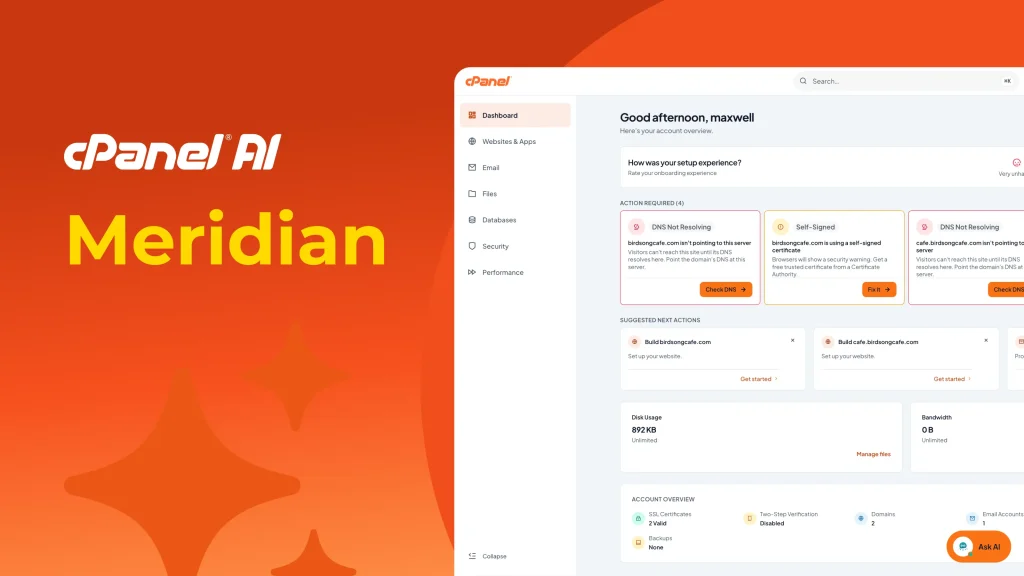
The cPanel Meridian theme is a goal-based interface designed to help hosting users finish everyday tasks faster. Instead of browsing a long list of tools, Meridian groups features around what you want to do: manage websites, email, files, databases, security, and performance.
On Brmgina Hosting cPanel plans, Meridian is the modern way to work inside your account while keeping the same data, domains, email, and settings you already use.
What is the cPanel Meridian theme?
Meridian is an official cPanel interface theme introduced with cPanel & WHM v138. It ships alongside the classic Jupiter experience and uses the same account data, APIs, and configuration. Switching themes changes how cPanel looks and how you navigate—not your live websites or stored files.
Official overview: Welcome to Meridian · cPanel product blog.
Why Meridian matters for cPanel hosting users
- Faster workflows: open the hub that matches your goal instead of hunting through menus.
- Clearer home screen: Action Required and Suggested Next Actions highlight what needs attention.
- Quicker search: the Command Palette jumps to tools by name.
- Guided first steps: Guided Setup can walk you through domain, website, and email setup when enabled on your plan.
- Built for newer workflows: Meridian is also the home for the embedded AI Assistant (Ask AI) on Brmgina cPanel hosting.
The six Meridian hubs
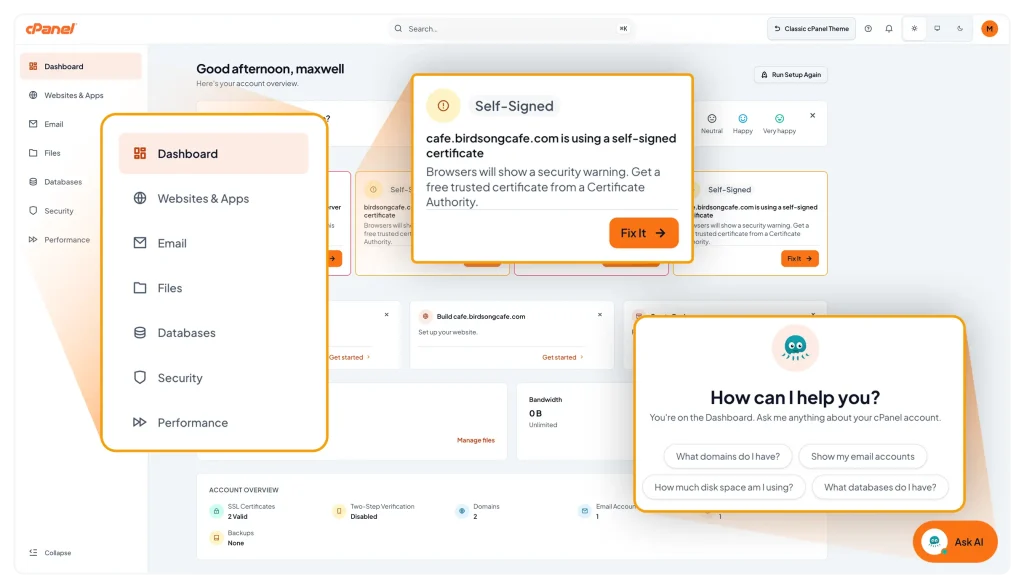
Meridian organizes cPanel around six purpose-built hubs:
| Hub | What you manage |
|---|---|
| Websites (or Websites & Apps) | Domains, DNS, SSL, PHP, website builders, and apps when enabled |
| Email accounts, forwarders, filters, autoresponders, and related tools | |
| Files | File Manager, FTP, disk usage, and backups |
| Databases | MySQL/MariaDB databases and database users |
| Security | SSL status, IP blocking, two-step verification, and account protections |
| Performance | Bandwidth, visitors, errors, and resource-related insights |
More detail: Navigating Meridian.
Dashboard, Action Required, and suggested actions
After login, the Meridian Dashboard focuses on what matters now:
- Action Required — issues such as DNS problems or certificate warnings, often with a direct Fix It action.
- Suggested Next Actions — contextual recommendations like creating a backup or adding a website.
- Resource Usage — disk and bandwidth against your plan limits.
- Account Overview — a compact status summary for SSL, domains, email, databases, and backups.
Command Palette in Meridian
Press Ctrl+K (Windows/Linux) or Cmd+K (macOS), click the Search box, or type / to open the Command Palette. Start typing a feature or task name and jump straight to it. This is especially useful once you know the tool you need but do not want to click through hubs.
Guided Setup
Guided Setup can help you configure a domain, website, and email in one flow. Options may include Sitejet Builder, WordPress, Nova, Node.js deployment, or custom code upload—depending on what appears in your account. You can usually rerun setup from the Dashboard when available.
Not every option appears on every plan. Use what Guided Setup shows for your account, or contact Brmgina support if you need a setup path that is not listed.
Meridian vs Jupiter
Both themes share the same underlying account. Meridian emphasizes goal-based hubs and modern guidance; Jupiter keeps the classic feature layout many long-time users know. Whether you can switch yourself depends on how the account was provisioned and whether theme switching is allowed. If Classic cPanel Theme is available in the header or Account Preferences, you can move between experiences without affecting live sites.
How to get the most from Meridian on your hosting account
- Start on the Dashboard and clear any Action Required items first.
- Use hubs for day-to-day work: Email for mailboxes, Files for uploads, Security for SSL and access controls.
- Use the Command Palette when you already know the tool name.
- If Ask AI appears, use it for quick explanations and diagnostics—see our companion article on the AI Assistant.
- Keep backups current from the Files hub before major site changes.
Frequently asked questions
Does Meridian change my website files?
No. It changes the cPanel interface only.
Is Meridian required to use cPanel?
No. It is the modern theme path; classic themes may still be available depending on account settings.
Where do I learn more officially?
cPanel Meridian documentation.
Conclusion
The cPanel Meridian theme makes hosting management more goal-oriented: six clear hubs, a proactive dashboard, fast search, and optional guided setup. For Brmgina Hosting customers, it is a practical way to manage cPanel day to day with less menu hunting and clearer next steps.
