USD
USD
 EGP
EGPTransferring your domain from Brmgina Hosting to another registrar is a straightforward process. Below is a step-by-step guide to help you with the transfer:
Step 1: Unlock Your Domain
The first thing you need to do is unlock your domain. This is necessary to allow the transfer to take place.
- Log in to your Brmgina Hosting account.
- Navigate to the Domains section.
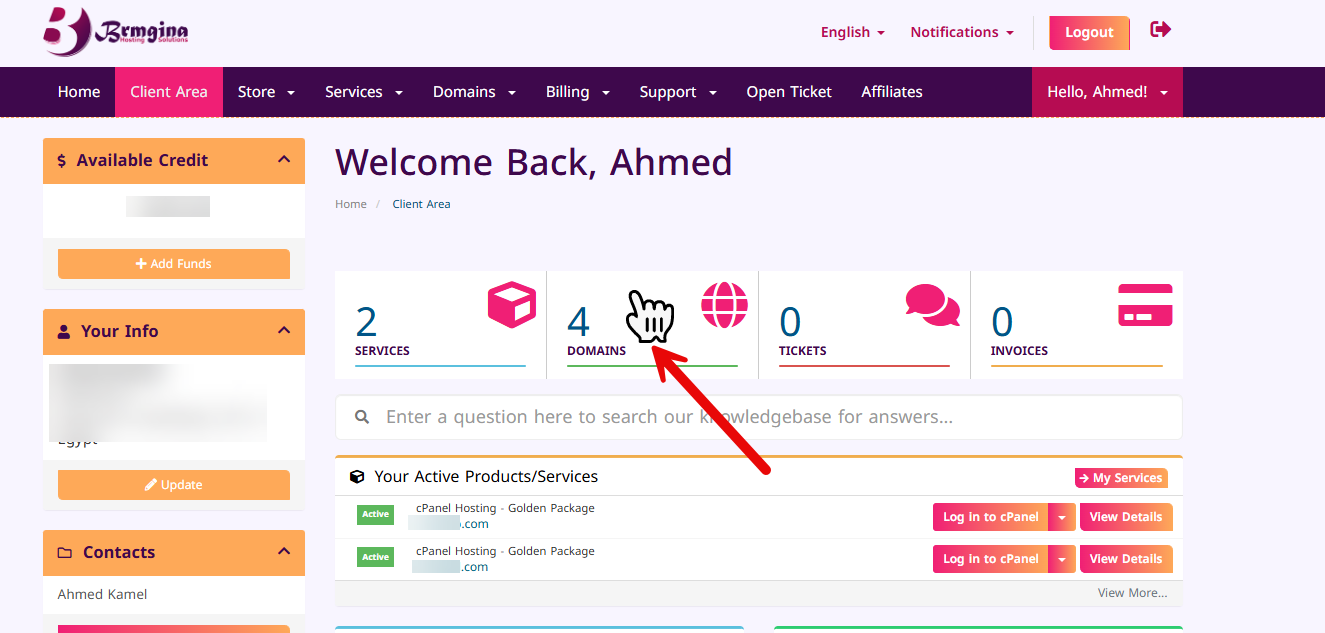
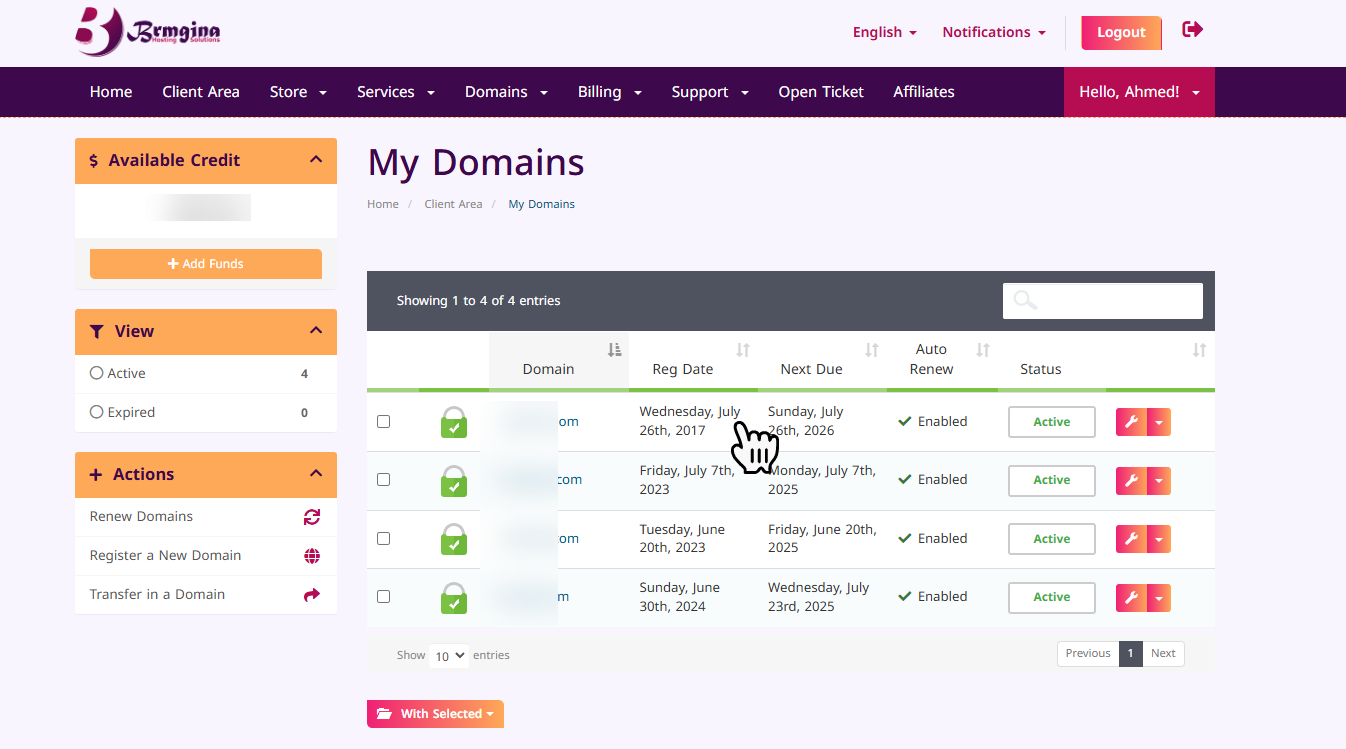
- Find the domain you wish to transfer and select Manage Domain from the down arrow inline with the domain row.
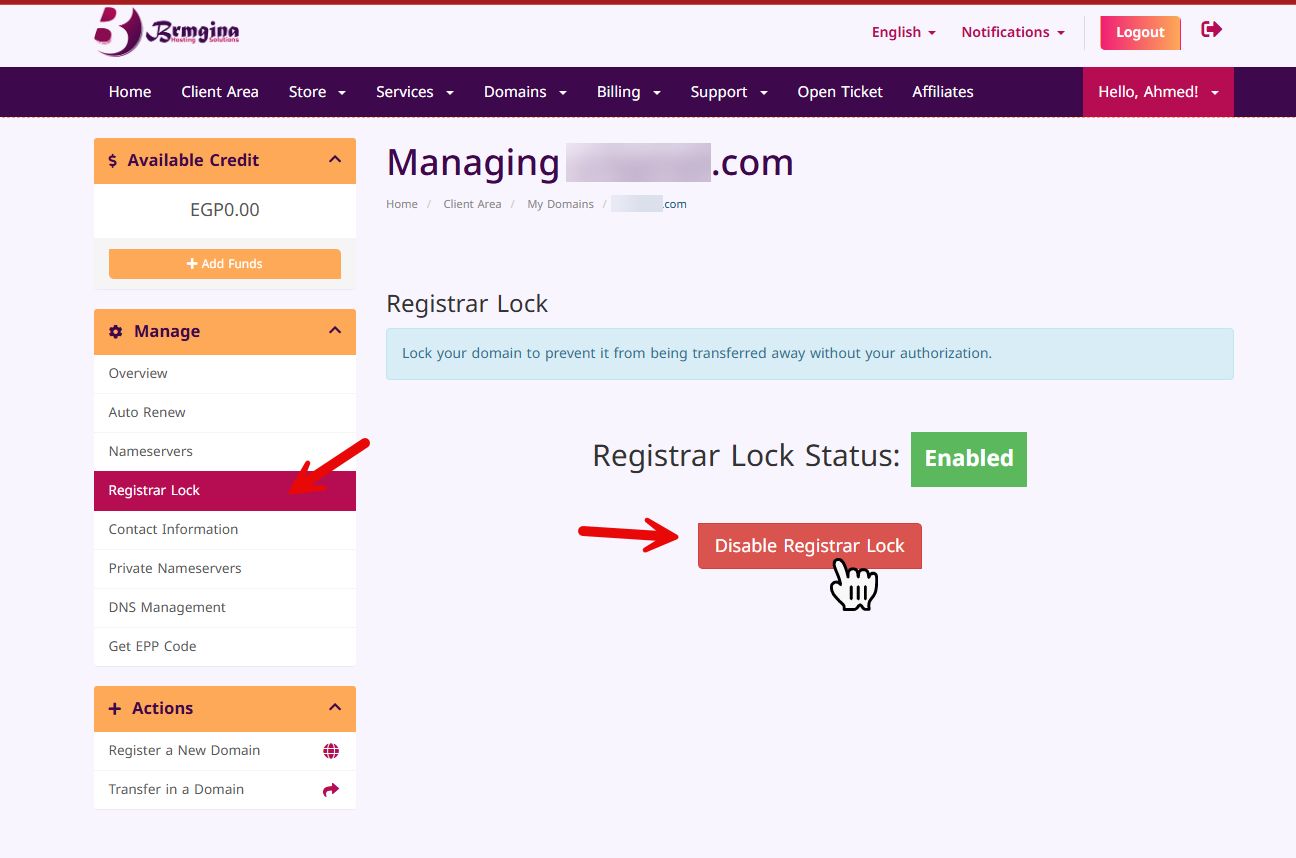
- In the domain management panel, locate the option for Register Lock and disable the lock to unlock your domain.
Step 2: Get the EPP/Auth Code
You will need the EPP (Extensible Provisioning Protocol) or Auth Code to authorize the transfer to the new registrar.
- In the same domain management panel, go to Get EPP/Auth Code.
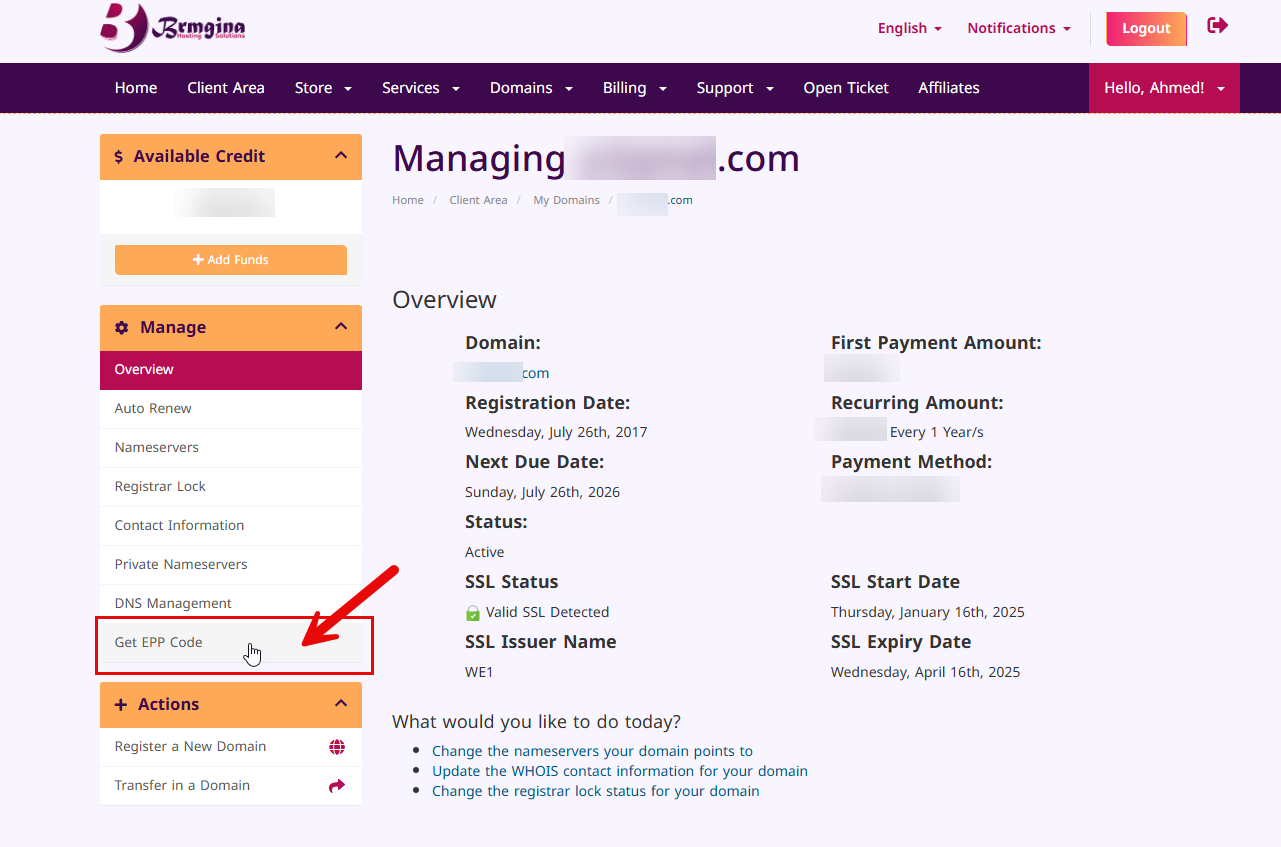
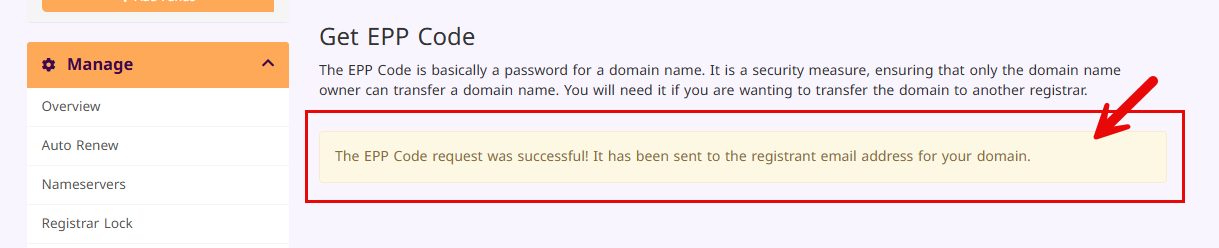
- After requesting it, you will receive the code via email associated with your account.
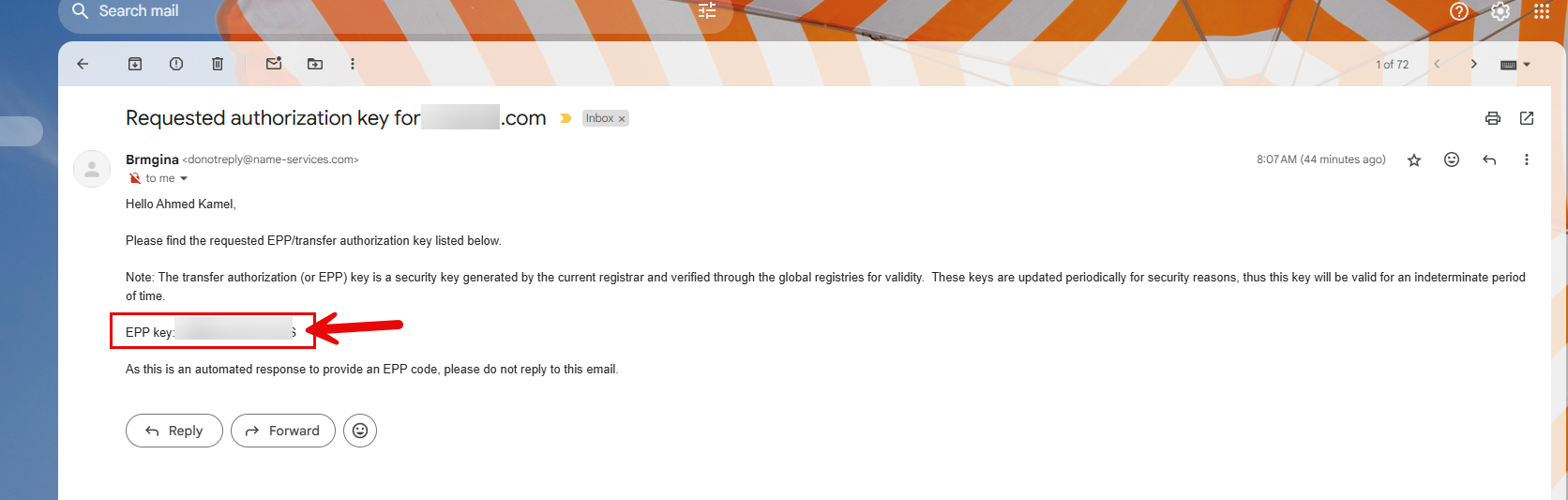
- Copy this code as you'll need it during the transfer process.
Step 3: Initiate the Transfer at the New Registrar
Now, you can start the transfer process at your new registrar:
- Go to the website of the new registrar you want to transfer your domain to.
- Look for the Domain Transfer section.
- Enter the domain name you want to transfer and provide the EPP/Auth code when prompted.
Step 4: Confirm the Transfer
Once you initiate the transfer, you will likely receive a confirmation email from both your current registrar (Brmgina Hosting) and the new registrar.
- Check your email for a transfer confirmation request.
- Approve the transfer by clicking the confirmation link in the email.
Step 5: Wait for the Transfer to Complete
Domain transfers usually take anywhere from a few hours to several days to complete. During this time, your domain will remain active and functional, but you will no longer manage it through Brmgina Hosting’s panel.
Step 6: Check the Domain at the New Registrar
Once the transfer is complete, log in to your new registrar's account to verify that the domain has been successfully transferred and is now under their management.
If you have any questions or need assistance during the process, feel free to contact our support team at Brmgina Hosting.